Advanced analog stick drift can make a controller act on its own, registering inputs nobody gave. It is the most common failure of modern gamepads, and the popular remediation tools never actually fix it: they widen a deadzone on one machine and leave the controller untouched, so the drift travels with the hardware to the next console or PC. A more durable path exists that almost no consumer tool exposes: rewriting the controller's factory calibration directly in its non-volatile storage, so the correction lives on the controller itself. This note documents a browser tool that takes that path, how its diagnosis and calibration actually work, how it compares to the deadzone approach, and where it stops being useful. One detail stands out for a 2026 build: assembling the tool with Fable 5 cost less than the replacement controller it made unnecessary.
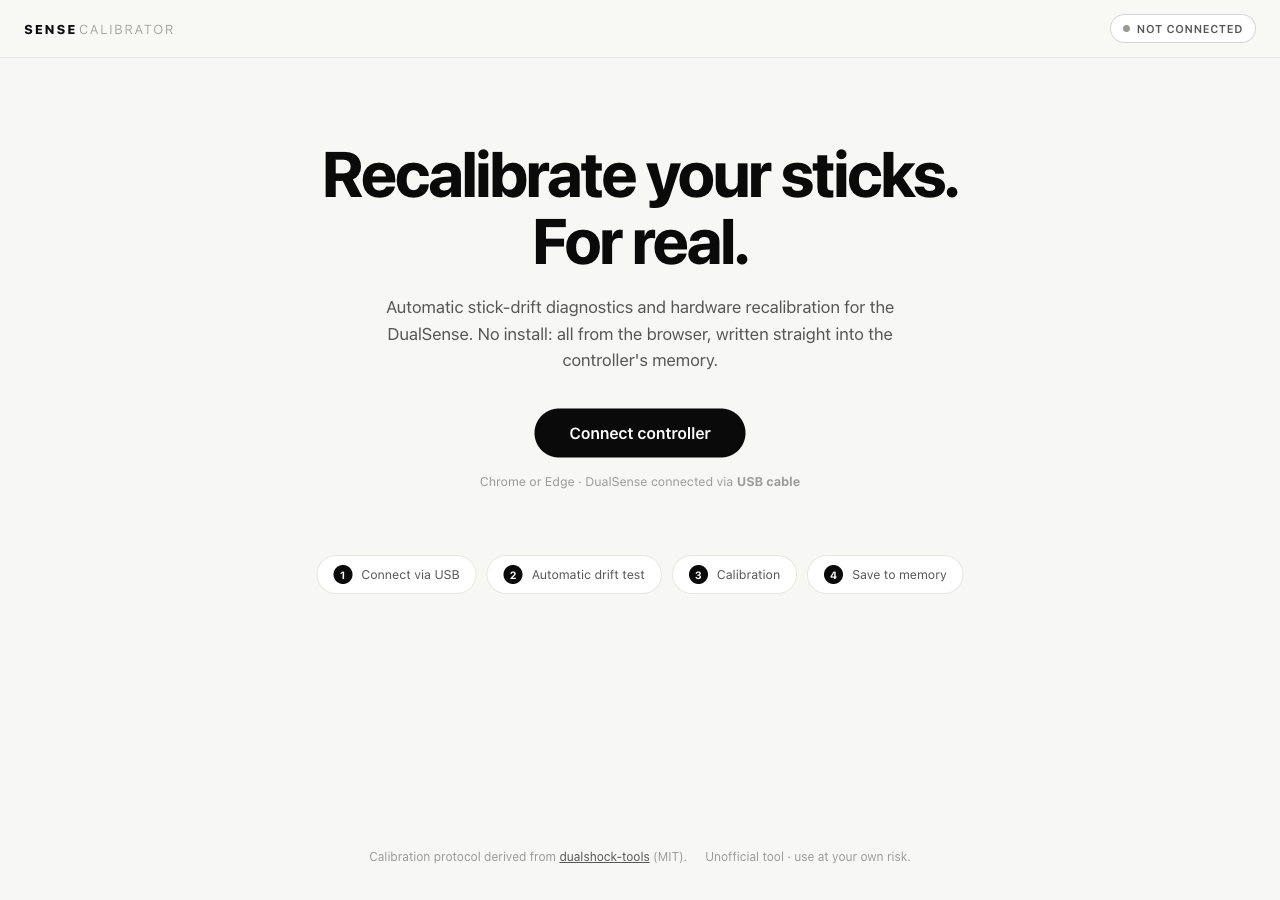
The tool runs here: Sense Calibrator — source on GitHub (MIT, runs in the browser, no install).
The problem
A drifting analog stick reports a small non-zero value when it is physically centred and untouched. Games read that resting offset as deliberate input. The concrete failure that started this: on a PS5 DualSense, a right-stick offset in EA Sports FC 26 was read as a flick of the right stick, which is the skill-move input, so the player would trigger skill animations with no one touching the controller. Offset drift like this is usually electrical, not mechanical: a potentiometer whose centre point has shifted, not a stick that is physically broken.
The DualSense stores its factory stick calibration in non-volatile storage (NVS) on the controller. That calibration is what every host reads, on PS5, on PC, on Mac. Sony does not ship a consumer tool to rewrite it; the PS5 menu offers a drift test and a host-side deadzone slider and nothing more. The community reverse-engineered the calibration command sequence years ago, and the reference implementation is dualshock-tools (MIT). The protocol works. What it lacks is a flow a non-specialist can follow without dead-ending on a Bluetooth connection or an unexplained NVS readout.
Masking vs fixing
The single most useful distinction in this space is architectural, and most users never see it stated.
- Software masking — a driver or the host OS intercepts raw stick values and applies a deadzone before passing them to the game. The controller still drifts. Switch machines, launch a game outside the masking layer, or plug into a PS5, and the drift is fully present again. The fix lives on the host, so it does not travel.
- Hardware-layer fix — new calibration is written into the controller's NVS via the factory command sequence. The controller carries the correction to any host. The host is unchanged; the controller is.
DS4Windows, reWASD, and Steam Input are all in the first category. They reduce what you feel on one PC and report nothing back to the controller. That is why the common verdict on drift tools is that they "never really fix it": the user masks the drift on their PC, picks the controller up on the console a week later, and the problem is exactly where they left it.
Method
The tool, "Sense Calibrator", is a static page that talks to the controller over WebHID. Connection is enforced over USB, because the calibration reports are not reliable over Bluetooth. Calibration commands are exchanged on feature reports 0x82/0x83; the NVS lock state is managed through reports 0x80/0x81 (those reports also carry device-info and reboot queries, so they are a shared channel, not NVS-dedicated). Four parts are worth describing because they are where the approach earns its reliability.
Drift detection by stability, not by offset
Reading the stick once at rest and checking for a non-zero value fails the moment a finger brushes the stick or the controller vibrates on a table. Instead the drift test samples the input report for three seconds, discards the first 60 samples to let the signal settle, and for every subsequent sample inspects the spread (max minus min) across a sliding 30-sample window on all four axes. Samples whose spread exceeds a movement threshold are classified as interference and dropped. A stick with a large fixed offset still reads as stable across the window; a hand resting on the stick reads as noisy. Stability is what separates genuine drift from interference, where a raw offset reading cannot.
The drift estimate is the median per axis, not the mean, so a single spike does not skew it. Signal noise is reported separately as the 95th percentile of per-sample distance from centre, which is how a worn potentiometer (continuous jitter) is told apart from a clean offset (a stable wrong centre).
Calibration that converges instead of guessing
Quick calibration is not a single shot. It runs up to three passes; each pass writes a fresh centre to controller RAM, then re-measures the residual offset with the same stability filter and stops early once the residual is under threshold. For stubborn cases a guided, four-corner procedure samples the extremes with a live on-screen target so the user can confirm the stick is actually reaching each corner even when the current calibration is off. Range calibration tracks per-axis minimum and maximum while the sticks are rotated, and draws coverage as a 36-bin polar histogram so the user can see which sectors are still under-covered before committing.
A write that cannot brick the calibration
Every calibration command writes to controller RAM first, and the live stick view reflects the new centre immediately, so the result is visible before anything is committed. Making it permanent is an explicit unlock-then-lock cycle on the NVS. Until that lock, everything lives in RAM: powering the controller off at any earlier point reverts it completely to factory calibration. That property is the safety net, and it is what makes the tool safe to experiment with.
Measuring whether it worked
Calibration is only useful if the improvement can be observed. The tool includes an optional precision test that produces a reproducible 0–100 score, intended to be run before and after. It reads stick position only and sends no HID commands. Three trials measure resting stillness, target-acquisition speed and overshoot across seven fixed targets, and tracking error against a Lissajous curve. Scoring is deterministic, so the same performance yields the same number, and the delta against the previous run is shown. It converts "feels better" into a measured before/after.
Comparison
| Solution | Permanent (writes to controller)? | Works on every platform after? | Cost |
|---|---|---|---|
| WebHID NVS recalibration (this tool, dualshock-tools) | Yes | Yes | Free |
| DS4Windows / reWASD (driver deadzone) | No, host-side mask | No, that PC only | Free / ~$6 |
| Steam Input deadzone | No, per-game mask | No, Steam on that PC only | Free |
| Sony PS5 settings | No, deadzone threshold only | No, PS5 only | Free |
| Potentiometer / Hall-effect replacement | Yes, replaces the part | Yes | ~$5 parts, or ~$40 pro repair |
| New DualSense | Yes, starts fresh | Yes | ~$60–75 |
The split runs straight down the "permanent" column. The two WebHID tools write to the controller; everything in the driver-deadzone group masks on the host and leaves the controller drifting. The hardware routes work but want a teardown and soldering, or simply cost more and buy a controller that can drift again.
Build note: the economics of the tool itself
The interesting cost figure is not the controller, it is the tool. The whole thing was implemented with Fable 5, Anthropic's current state-of-the-art model, at medium reasoning effort, inside a single Claude Max subscription. Recorded usage for the build was roughly 30% of one 5-hour rolling window and under 10% of the weekly allowance, with no per-token API cost on top of the flat subscription. (The model is documented in its system card.)
The point is the comparison. A new standard DualSense is roughly $60–75. The marginal cost of building a reusable, permanent, cross-platform fix was a fraction of an allowance already paid for, and it leaves behind an open tool rather than a single replaced controller. For a category of small, well-scoped hardware-tooling problems, AI-assisted implementation has crossed the line where building is cheaper than buying.
Limits
The approach is honest about its boundaries:
- It uses a reverse-engineered protocol, not sanctioned by Sony. The RAM safety net is real, but the disclaimer stands.
- Standard DualSense only. DualSense Edge has a different calibration subsystem and DualShock 4 a different NVS layout; neither is supported.
- Chrome or Edge over wired USB. Safari has no WebHID, and Bluetooth is blocked by design.
- It corrects offset drift, where the sensor reports a non-zero value at rest. It cannot repair mechanical wear. If the potentiometer wiper is physically degraded, recalibrating around the noise floor may buy time, but the hardware is still failing.
The tool
Sense Calibrator is open source and MIT-licensed, building on the protocol made public by the dualshock-tools project. Source and instructions are on GitHub; the tool itself runs at martino-vigiani.github.io/sense-calibrator. Plug a DualSense into USB, open the page in Chrome or Edge, and the drift test runs on its own.
Based on development conducted in June 2026 with Fable 5. The calibration protocol derives from the MIT-licensed dualshock-tools project by the_al, whose copyright notice is preserved. Reverse-engineered hardware commands are used at the user's own risk. Findings reflect a specific point in time.